Search DtsArt Blog

click to visit www.dtsart.com

Thursday, July 29, 2010

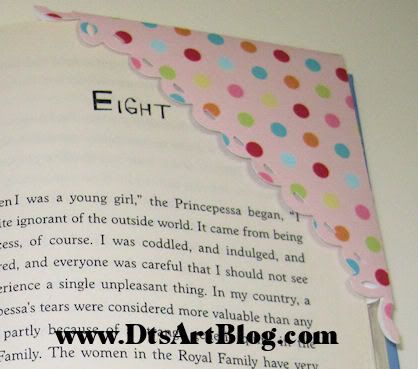
Corner Bookmark Tutorial using DtsArt Bookmark Loopy Frame

Hi Dandi Crafters! Today I am going to show you another way to use the DtsArt Bookmark Loopy Frame that was offered on Take Out Tuesday Download on July 27. We are going to make a Corner Bookmark with it. Both SVG and Sure Cuts Alot SCUT file are in the folder so you can use whatever cutting program you are comfortable with to cut the frame.
You may want to read through this tutorial first in case you want to do some of the extra steps that I took to embellishments my corner bookmark. For this project we need to gather the following supplies.
•Ruler
•Bone Folder
•Exacto Knife OR Scissors will work the same
•Glue Stick or ATG gun or other adhesive
•Loopy Frames Download the file if you haven't already. We will be using the DtsArt Bookmark Loopy Frame.
• Card Stock Or Paper. It doesn't matter which. I like card stock.
• Little Embellishment such as, ribbon, flowers, glitter, Cricut cuts or any other small die cut you want to use to dress up your bookmark to make it pop.
Have you gathered all that? Great then! Let's get started.

1. You need to open the DtsArt Bookmark Loopy Frame File to 5.65 inches width and height and cut it out using your cutting machine.
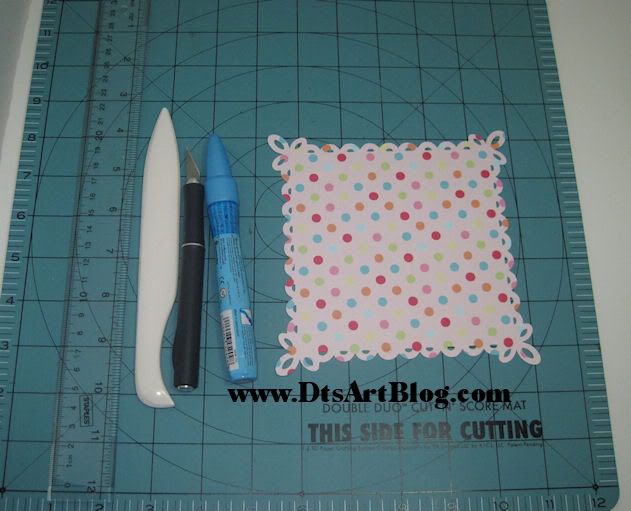


2. Take your bone folder and ruler and score diagonally from corner to corner. Repeat with the remaining corners.
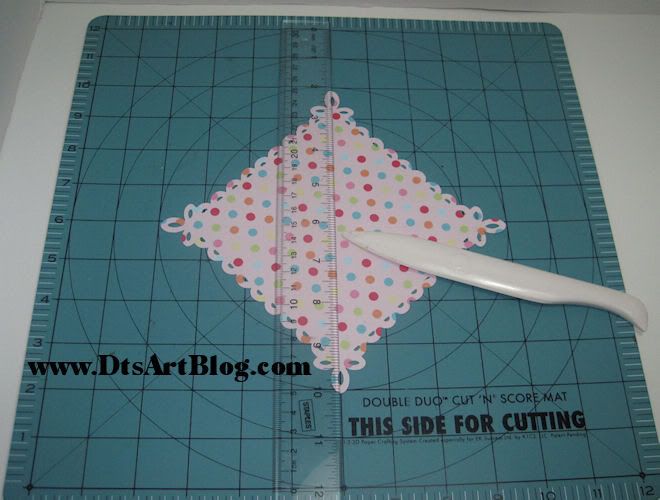


3. Fold on both score lines.
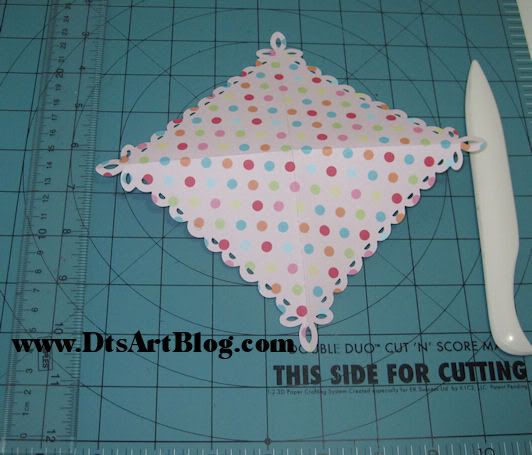


4. Notice how when folded the paper looks like it is divided into four scored triangles. Take your Exacto Knife or Scissors and cut out one of the triangles by following the score lines.
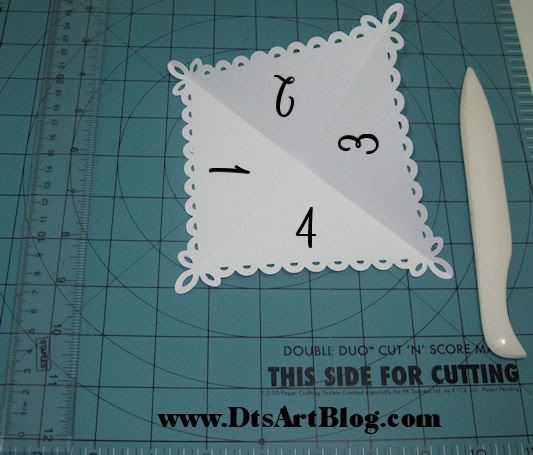


5. We  have cut the corner loops at the bottom in half. Take your Exacto Knife or Scissors and cut the other half of the loop off.
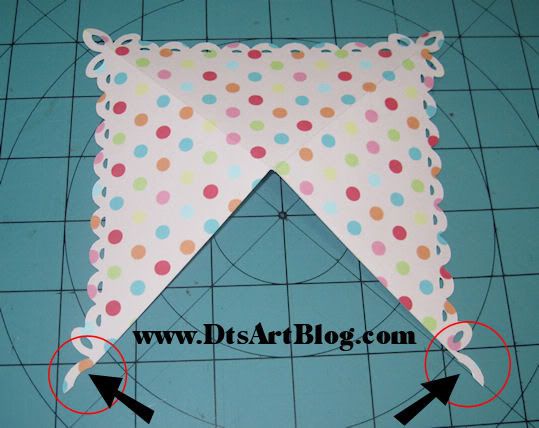
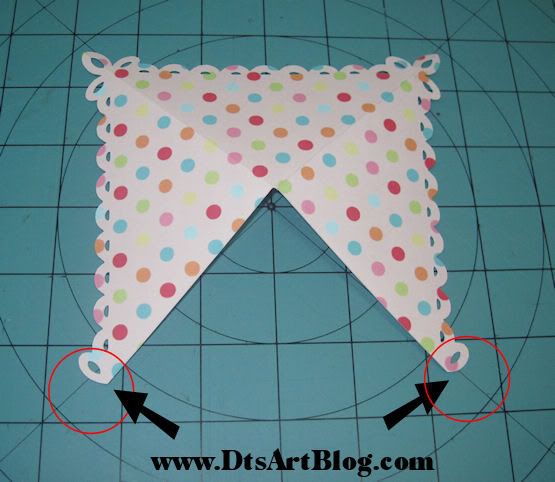


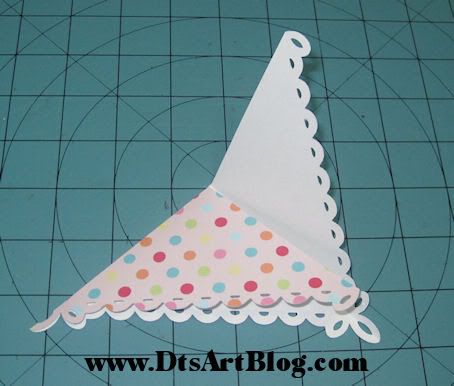
6. What we have remaining is the bases of our corner bookmark. We are now going to fold it.
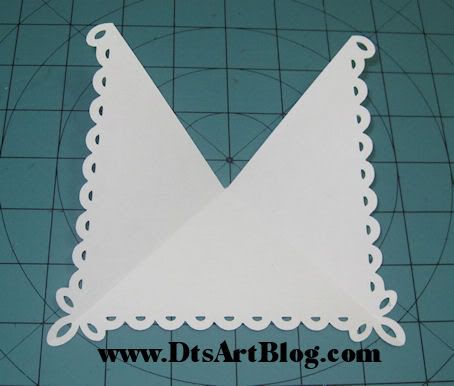
a. Fold the first flap.

b. Fold the second flap.


7. When you have a nice crease you will put glue on the inside of the second flap and close the flap. Let dry.  Be sure NOT to glue that first flap down or else you will not be able to put your book pages in the book mark!
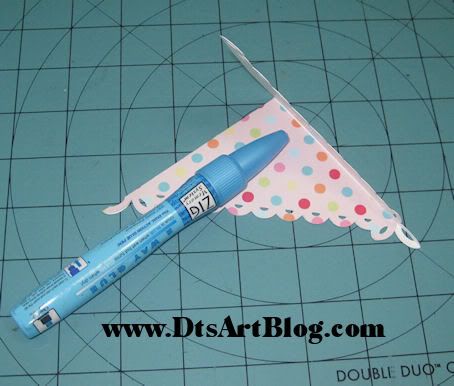
8. There you have a cute corner bookmark with sweet loopy bottom trim with very little work on our part! Now embellish the front and/ or back with your choice of scrapbook findings.
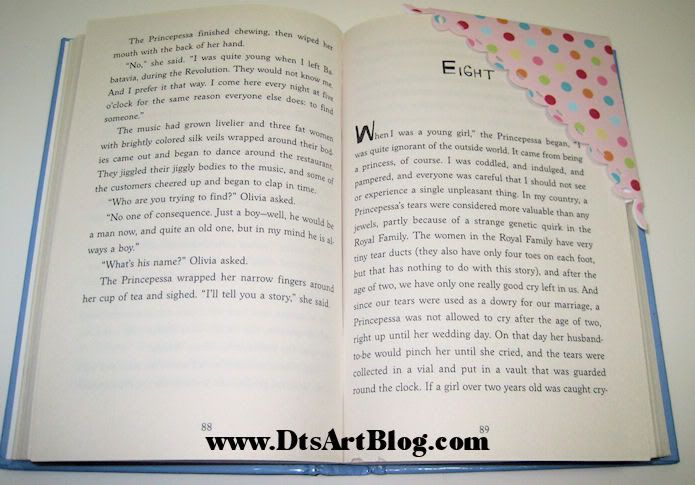
There you have it. A cute little bookmark. Perfect for summer reading. I made this one for my daughter. She is an avid reader (YEAH!!) and I make her several through out the year.
I have given the steps I took to embellish my corner book mark below in case you would like you would like to use some of the embellishment looks I have used.
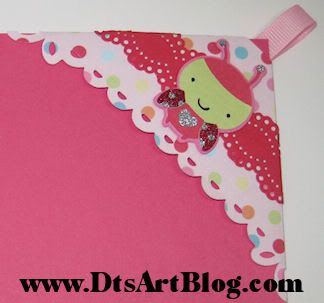
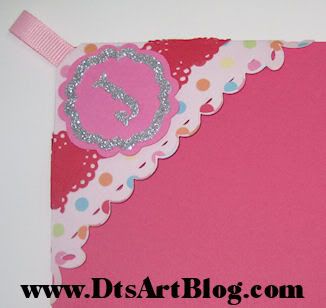
I trimmed the corner top of the bookmark so that I could put a pink 3/8 ribbon tab on it. I then cut a stripe of red card stock at 1 1/2 inches in height and about 8 inches long and used a Martha Stewart Punch on the top and bottom of it to get a doily look. I then used SUPRISE! you guessed it, Cricut's Create A Critter Cartridge for the ladybug. LOL You can find the ladybug on page 66 of the handbook. I then felt like it need some sparkle so I added silver and red glitter to the wings and heart using my glitter paste. The glitter paste how to is outlined here. I also decorated the back too. Instead of another Create A Critter animal. I KNOW I KNOW!! Can you believe what restraint I used not to include another critter. LOL hehehe I used pink card stock to make a tiny tag and then put her initial J on it with an accent cut out in silver. This corner bookmark looks good whether you are looking at the front or the back.

Wednesday, July 28, 2010

Seafriends Goodie Box

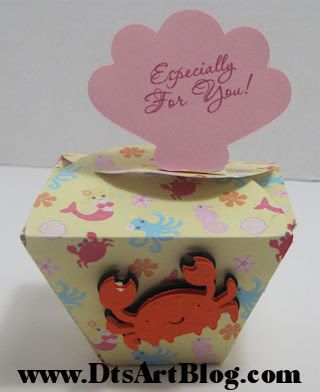
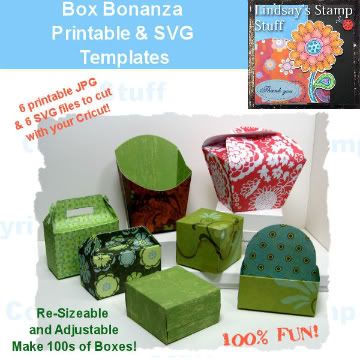
Hi Dandi Crafters! Check out this cute little Chinese Treat Box. It is just too cute to give treats in. It was created using MyGrafico designer Lindsay's Stamp Stuff. It is the Box Bonanza.

I used my Sea Friends Paper that I had on my computer to cut out the Chinese box. I have talked about my Sea Friends Line before on the blog. I then used of course my favorite Cricut Cartridge Create A Critter for the crab and the shell that reads, Especially For You! Both the crab and shell can be found on page 40 of the Create A Critter Handbook.

Tuesday, July 27, 2010

Take Out Tuesday Loopy Frames SVG Download July 27


Hi Dandi Crafters, Happy Take Out Tuesday to you! Today I have 3 loopy frame mats in the spirit of Martha Stewart. These are just too fun! They can be used separately or stacked together for a funky look. Although I wouldn't use these papers if you plan on stacking them for a project. WHEW tough on the eyes!! LOL They're just cute and they would make fun journaling boxes for Layouts too.

As always you will find both the SVG and the native Sure cuts alot format, SCUT, in the folders along with copyright and terms of use. I cut the polka dot frame at about 5.5 inches, the pink and green medallion was cut at about 4.5 inches and the pink heart frame was cut a mere 3 inches. Although all can be cut smaller than 3 inches the quality of the details did start to degrade if cut smaller than 3 inches.

The zip file includes:
•Bookmark Loopy Frame(shown in pink polka dot)
•Bracket Loopy Frame(shown in pink and green medallion)
•Corner Loopy Frame(shown in pink heart pattern)

I hope you enjoyed Take Out Tuesday's Download. I provide Take Out on Tuesdays for my regulars and followers. Take Out is available for download on Tuesday and Wednesday. If you are not a blog follower considering becoming one so you will not miss any more Take Out Tuesday Downloads.

Download: No longer available. Please join us next Tuesday when Fresh Take Out will be posted. Be sure to become a follower so you will not miss anymore Take Out Tuesday Freebies. Take Out is posted for my followers to download on Tuesday and Wednesday, on Thursday we throw out the left overs

Friday, July 23, 2010

How SWEET RAK!! from TurnedGypsy

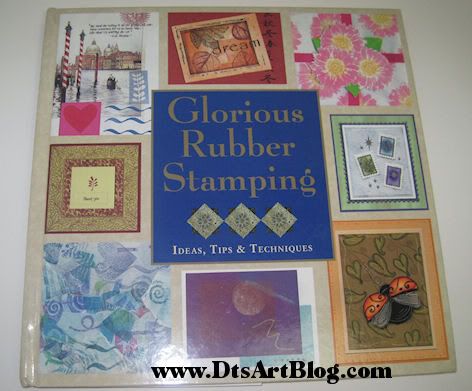
Look what was in my mailbox! I totally wasn't expecting it at all. It is TRUE RAK (Random Act of Kindness). It was from the talented, kind and very sweet, Chris Wooten of TurnedGypsy. I first met Chris a few months ago when I started hanging out on the Cricut MB. She had a few blog questions and wanted some work done on her blog. I told her I could help her out and we have been friends ever since. She emails me from time to time and ask me a question or two and I answer them. I also check her blog out regualarly. Well she emailed me one day and told me she sent me a little something. I was so suprised to see this great book! I am fairly new to card making and I have already learned a few things from the book. I am really enjoying the book. Thank you so much Chris! 

Related Posts with Thumbnails